Ashby Integration

Seamlessly integrate SkillMatchIQ's AI-powered candidate assessment directly into your Ashby workflow.

Quick Overview

Get AI-powered candidate insights directly in Ashby with real-time scoring, skill analysis, and hiring recommendations.

â„šī¸
Integration Partner Status: SkillMatchIQ is an official Ashby integration partner. This integration provides real-time candidate assessment with seamless data sync between platforms.
đŸŽ¯

Real-time Assessment

Automatic candidate scoring as soon as they're added to your pipeline.

📊

Detailed Analytics

Comprehensive skill matching, gap analysis, and candidate recommendations.

🚀

Job Leaderboards

Rank candidates across positions with cross-job analytics and insights.

⚡

Seamless Workflow

Native Ashby experience with custom fields, notes, and assessment results.

Setup Integration

Follow these steps to connect SkillMatchIQ with your Ashby account.

1
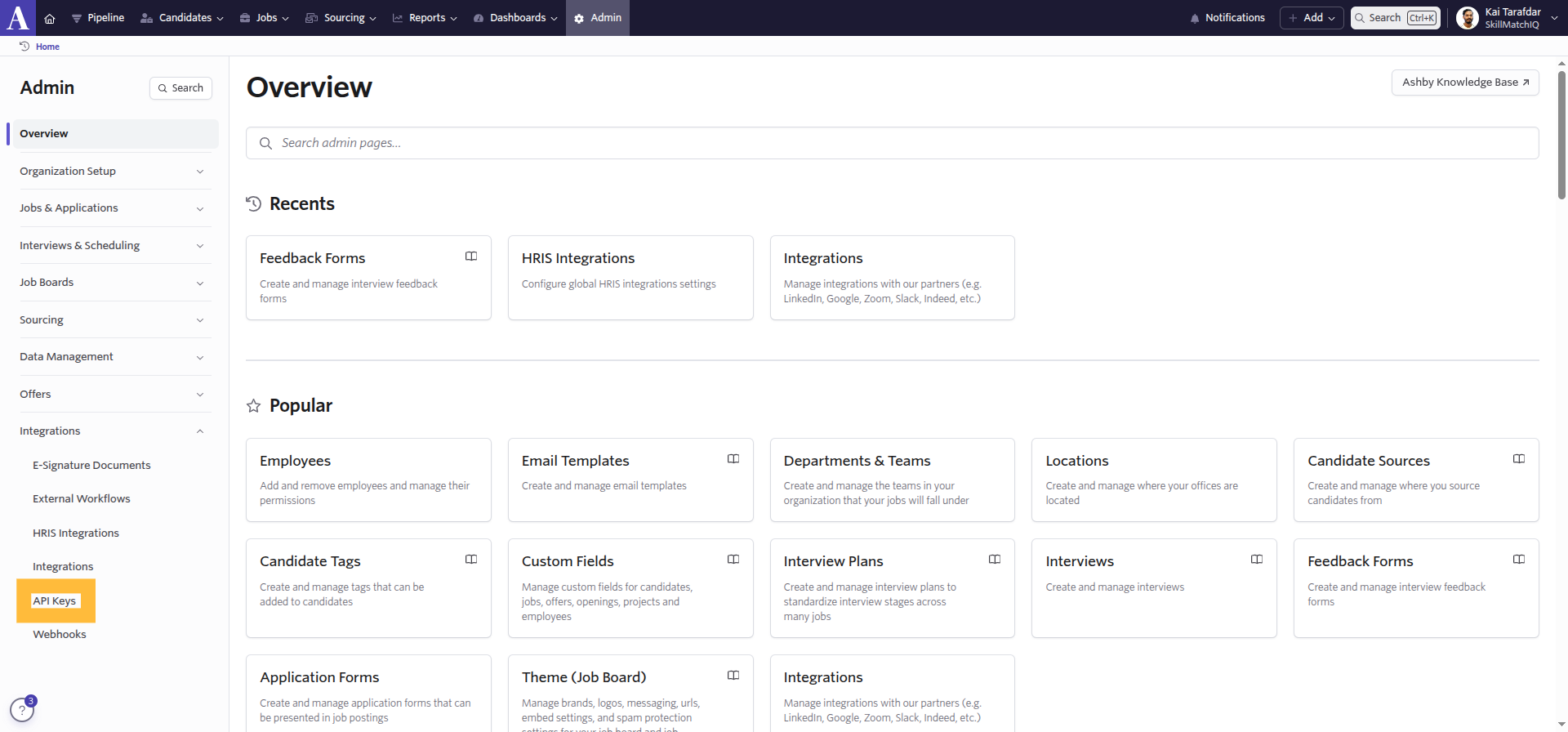
Navigate to API Keys in Ashby Admin panel

Navigate to API Keys

Go to your Ashby admin panel and click on "API Keys" in the left sidebar.

Ashby Admin → API Keys
2
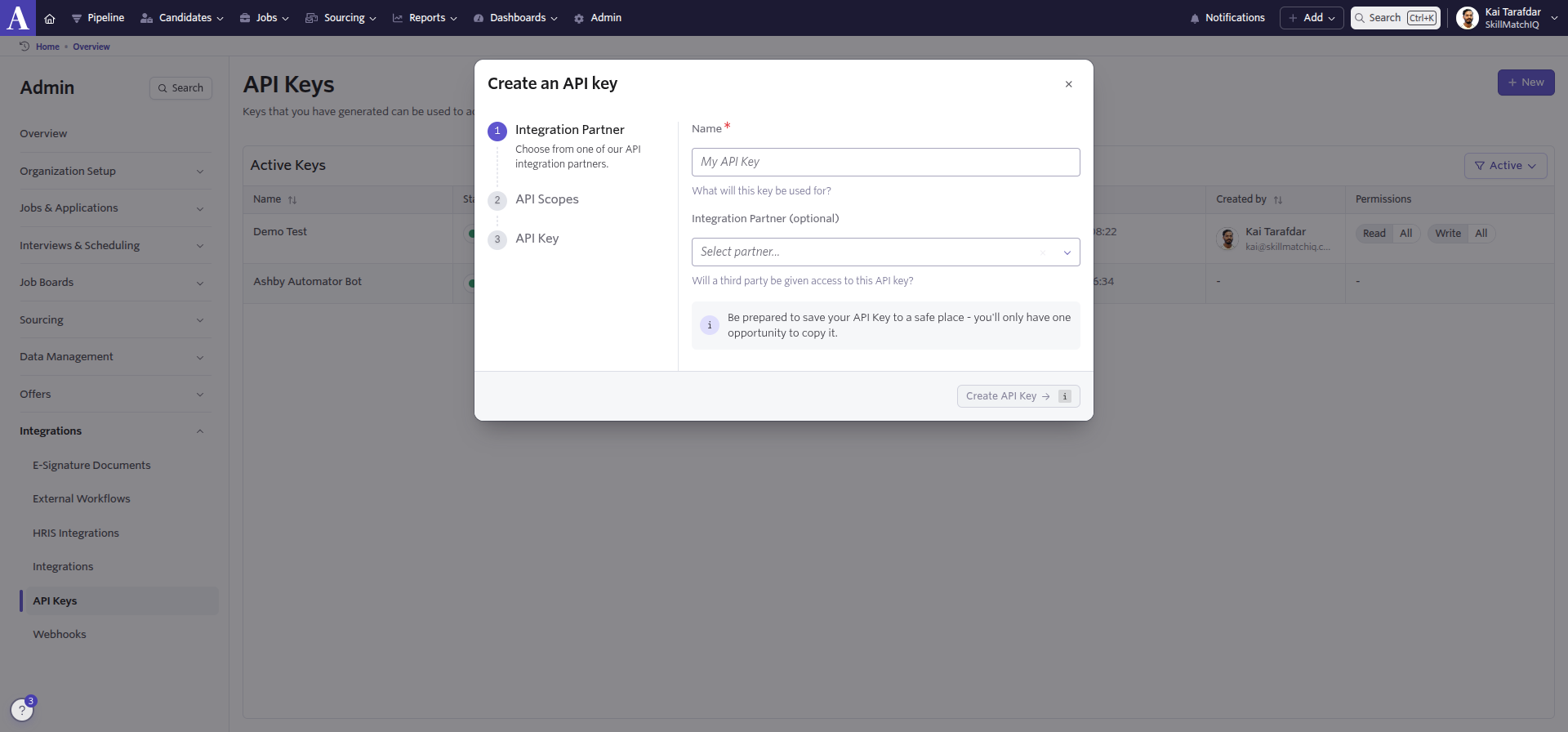
Click the New button

Create New API Key

Click the "New" button in the top right corner to start creating a new API key.

💡
Look for the blue "New" button in the top-right corner of the API Keys page.
3
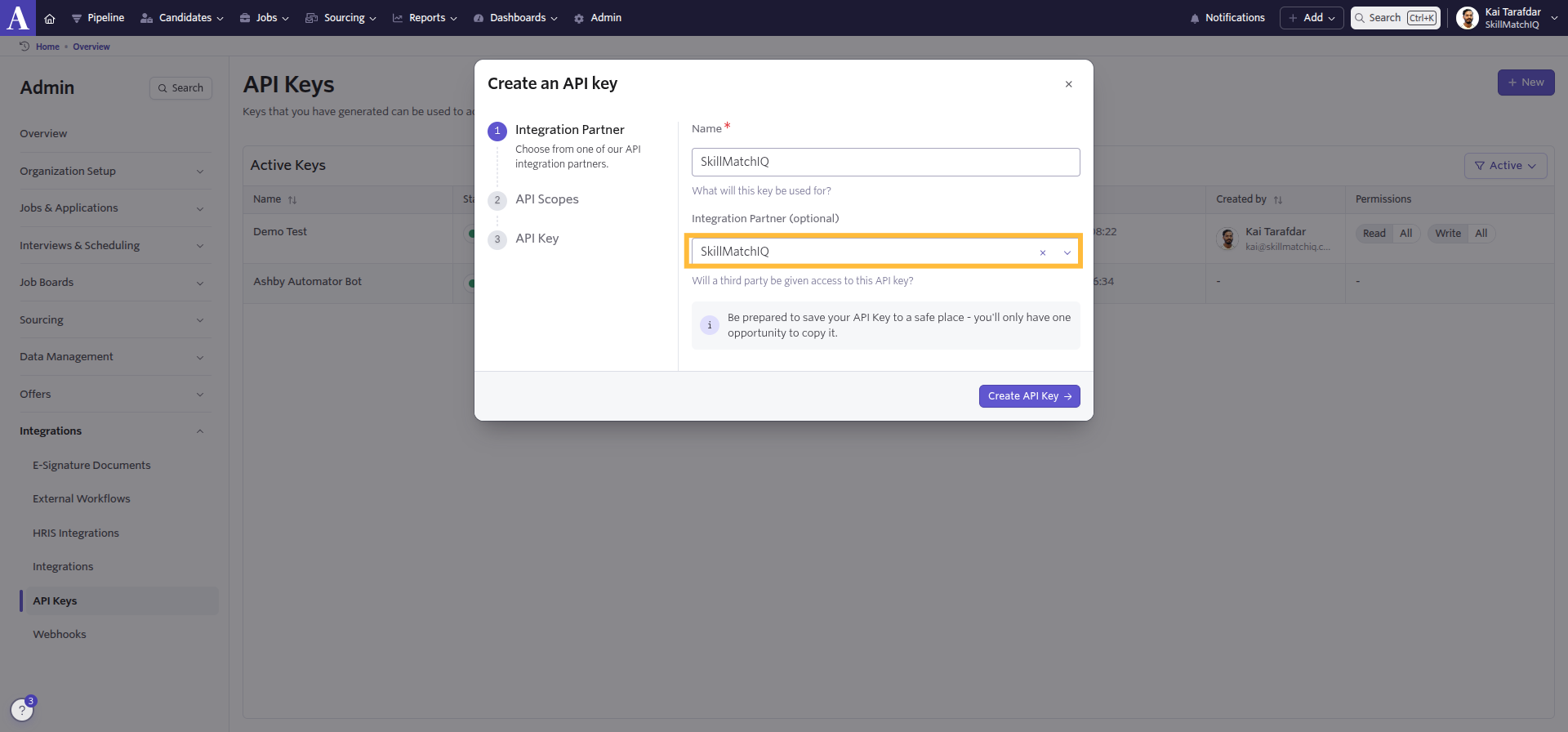
Select SkillMatchIQ as the Integration Partner

Select Integration Partner

In the "Integration Partner" step, type and select "SkillMatchIQ" from the partner list.

âš ī¸
Make sure to select "SkillMatchIQ" as the integration partner for proper configuration.
4
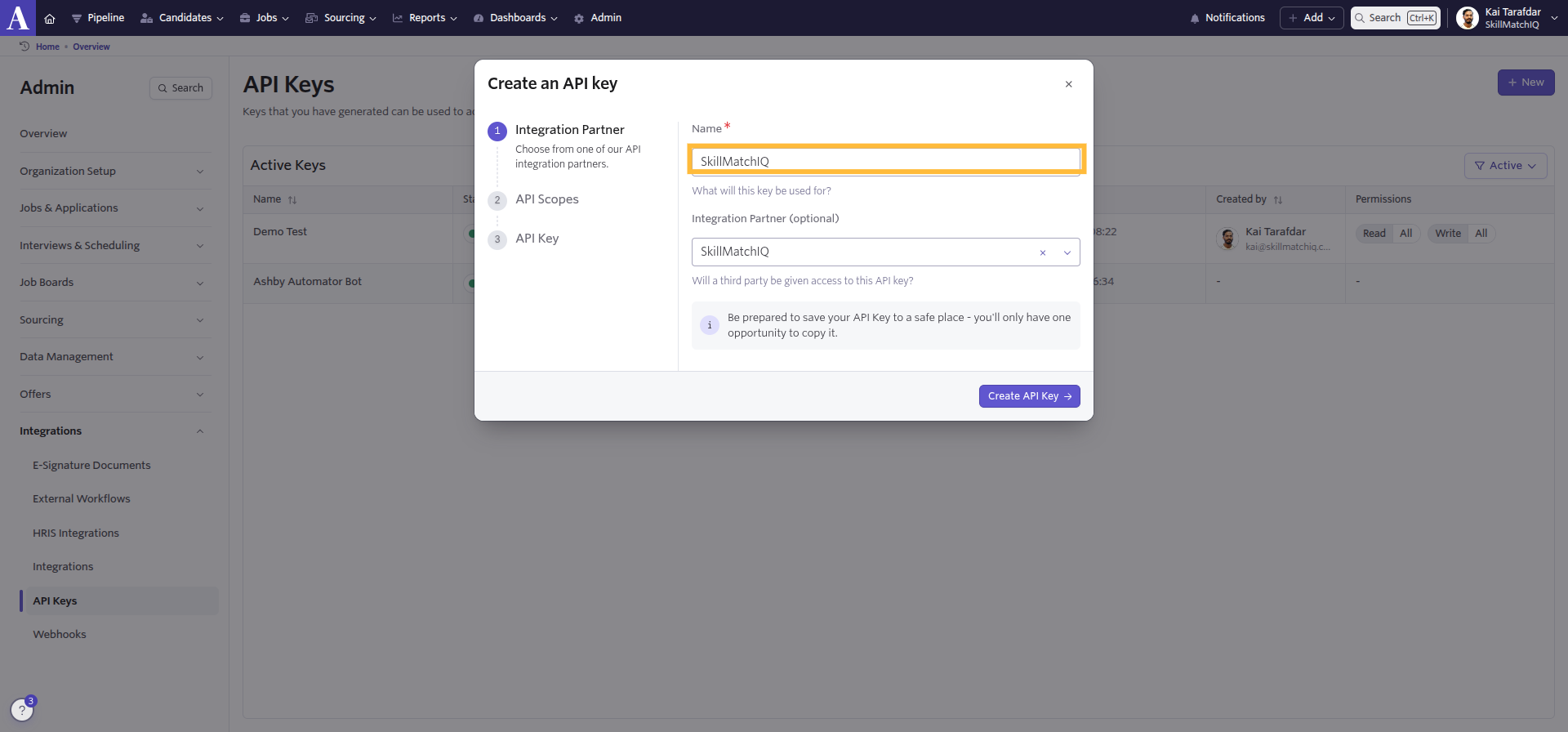
Enter the API Key Name

Enter API Key Name

In the "Name" field, enter "SkillMatchIQ" to identify this API key.

Name: SkillMatchIQ
5
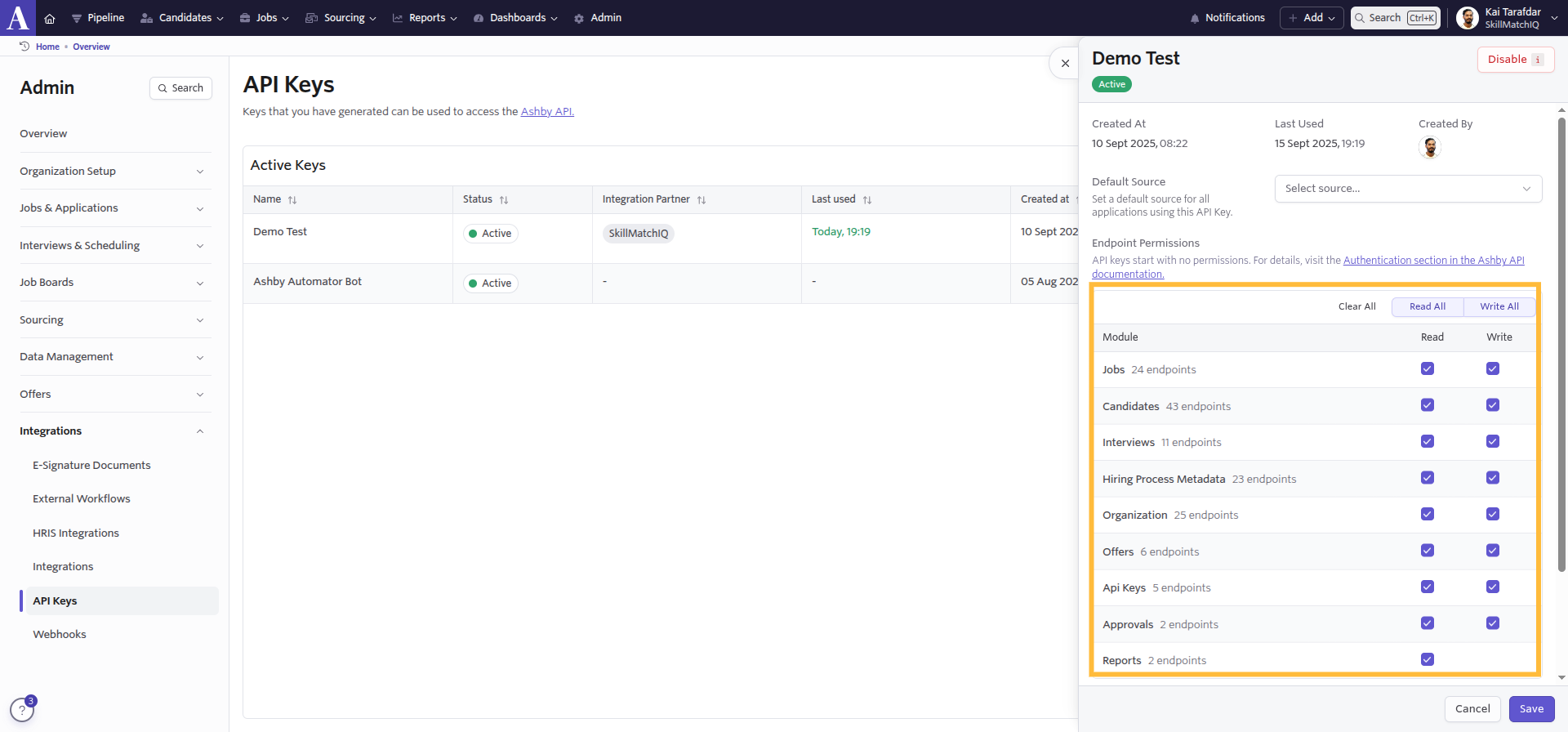
Configure the required API Scopes

Configure API Scopes

In the "API Scopes" step, enable these modules with the specified permissions:

  • Jobs - Read ✅
  • Candidates - Read ✅ Write ✅
  • Hiring Process Metadata - Read ✅ Write ✅
  • Organization - Read ✅
  • Interviews - Read ✅
6
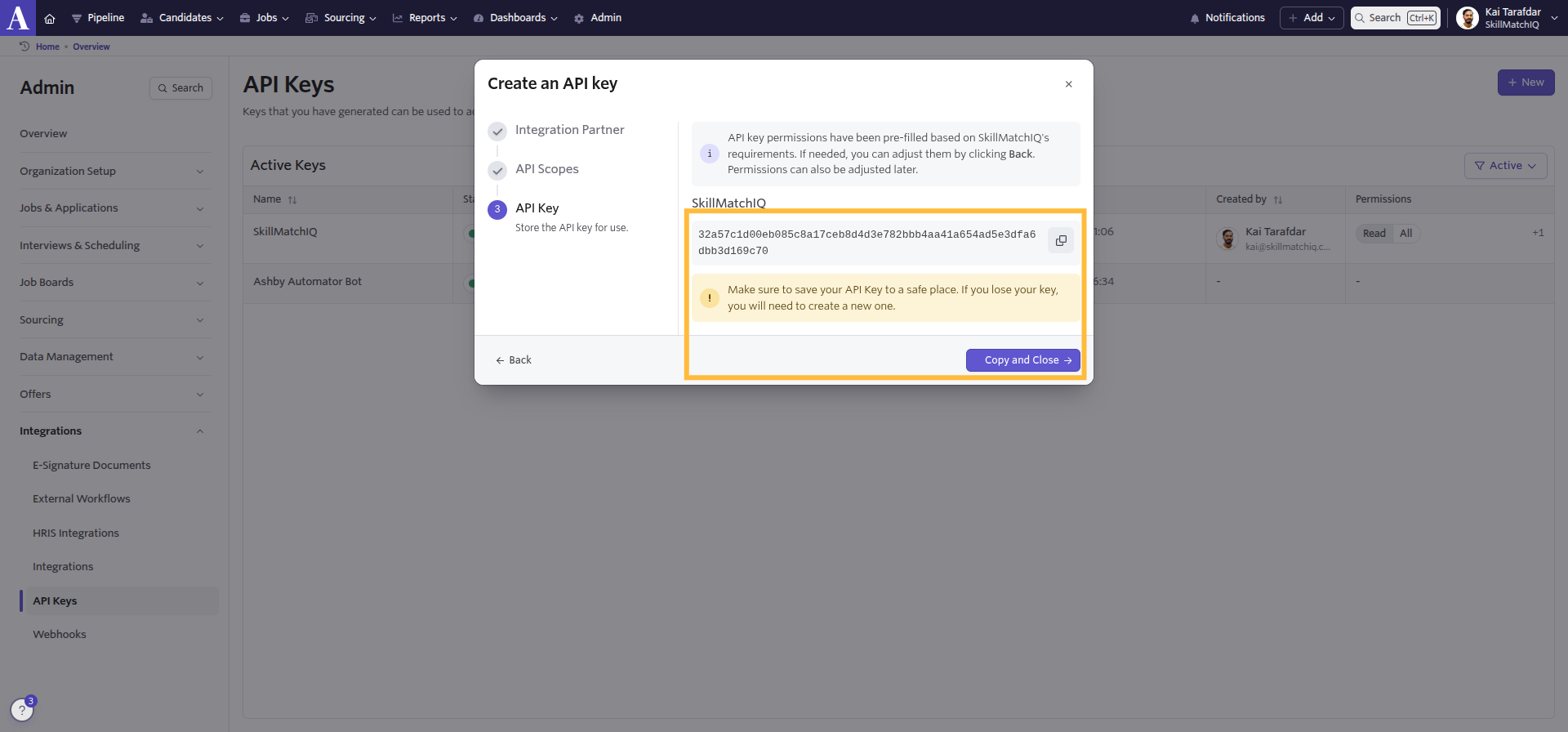
Copy the generated API Key

Copy API Key

In the final "API Key" step, Ashby will generate your key. Click "Copy and Close".

🔐
Store your API key securely - it won't be shown again after this step.
7
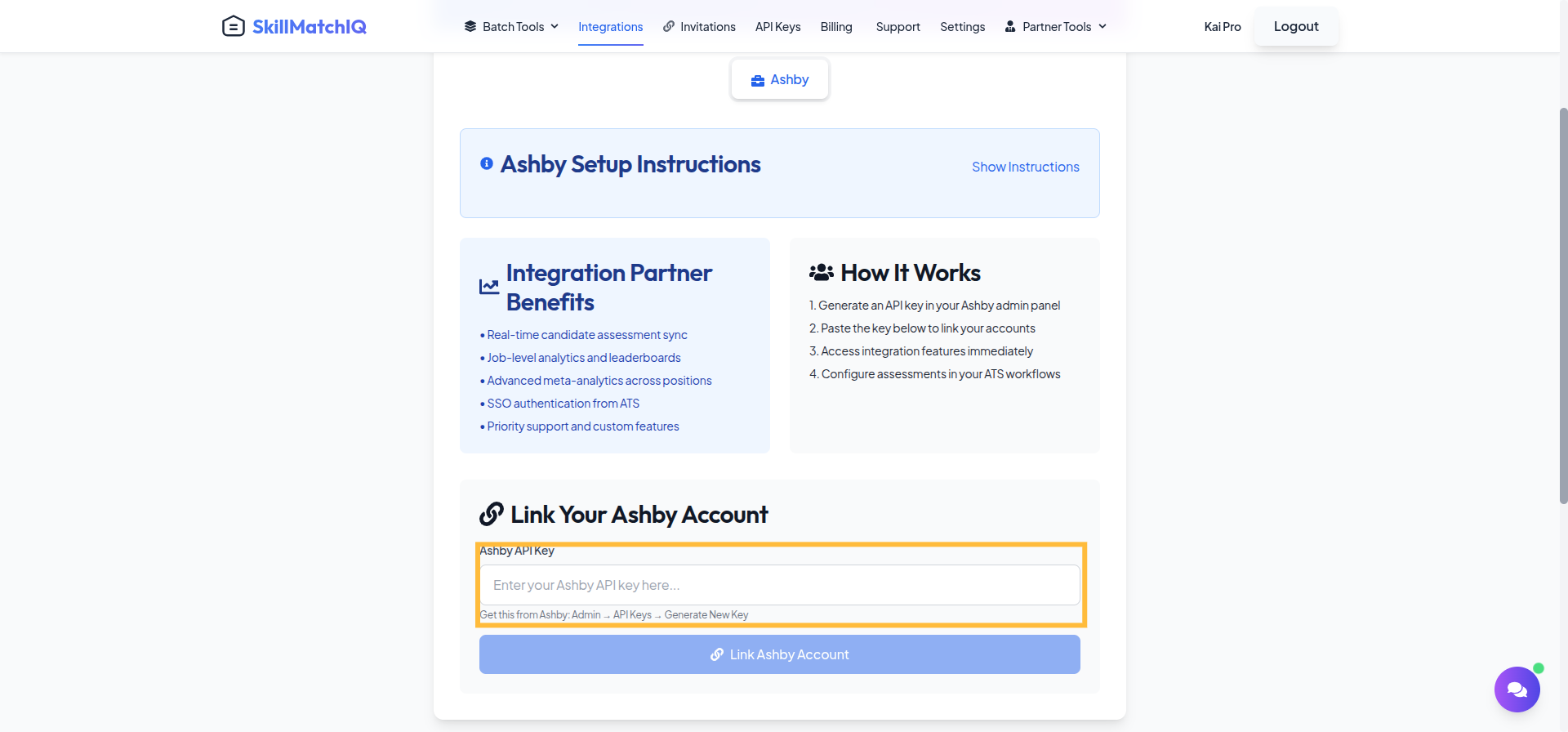
Paste API Key into SkillMatchIQ

Connect to SkillMatchIQ

Return to SkillMatchIQ → Integrations → Ashby and paste the copied API key to complete the integration.

  1. Go to SkillMatchIQ Integrations
  2. Select "Ashby"
  3. Paste your API key & click "Link Account"
✅
Integration Complete! Once connected, SkillMatchIQ will be availble to begin processing candidates in your Ashby pipeline with real-time deep analytics assessments.

SkillMatchIQ Features in Ashby

What you'll see once the integration is active

📊

Assessment Scores

Real-time candidate scoring appears directly in Ashby with breakdowns like Overall Match, Core Skills, and Skill Gaps.

đŸŽ¯

Custom Fields

SkillMatchIQ automatically creates and populates custom fields like "SkillMatchIQ Score" and "Assessment Status".

đŸˇī¸

Smart Candidate Tags

Automatic tagging based on assessment results, such as "High Potential" or "Strong Technical Skills".

📝

Detailed Candidate Notes

Comprehensive assessment notes with deep analytics-powered hiring recommendations are added to candidate profiles.

📈

Job Leaderboards

Advanced job-level analytics provide candidate rankings, common skill gaps, and top performer identification.

🔗

Assessment Reports

Deep-dive analysis with interactive skill visualizations and exportable reports accessible directly from Ashby.

Assessment Types

Choose the right assessment approach for your hiring needs

👤

Individual Candidate Report

Complete analysis of one candidate with all matched skills, gaps, and surplus skills listed in full detail.

💡
Best for: Initial screening and detailed candidate evaluation.
📊

Job Candidate Leaderboard

Individual analysis PLUS complete job-level aggregates: full candidate rankings and common matches across all candidates.

🚀
Best for: High-volume hiring and competitive roles.

Understanding SkillMatchIQ Scores

How our AI evaluates and scores candidates

đŸŽ¯

Overall Match Score

A comprehensive compatibility rating from 0-100%, with clear recommendations for each tier (e.g., 90-100% is an "Exceptional Match").

🧠

Core Skills Analysis

Focused evaluation of essential job requirements, including technical skills, experience level, and industry knowledge.

⭐

Skill Categories

Multi-dimensional evaluation across Technical Skills, Soft Skills, Experience, Education, and Domain Knowledge.

🔍

AI Analysis Features

Advanced capabilities like semantic skill matching, growth potential assessment, and market competitiveness benchmarking.

Workflow Integration

How SkillMatchIQ fits into your existing Ashby process

1

Candidate Application

A candidate applies or is added to Ashby, automatically queuing them for assessment.

New candidate → Assessment queued
2

Automatic Assessment

SkillMatchIQ processes the candidate's profile against the job requirements.

Resume analysis → Job matching
3

Real-time Results

Results appear in Ashby within minutes as custom fields, tags, and detailed notes.

Average time: 2-5 minutes
4

Enhanced Decision Making

Use AI insights for interview scheduling, candidate ranking, and hiring decisions.

Scores → Tags → Reports